
Budgeting that never
leaves your machine.
Pulse Local is a complete budgeting app, with a chat that answers from your own figures.
Other apps keep your ledger on their servers, or send your questions to someone else's model. We keep both on your machine.
A complete budgeting app.
Not a privacy demo.
Budgets and targets, rules, carry, splits, cash flow, forecast. What the most used budgeting apps do, all on your machine.
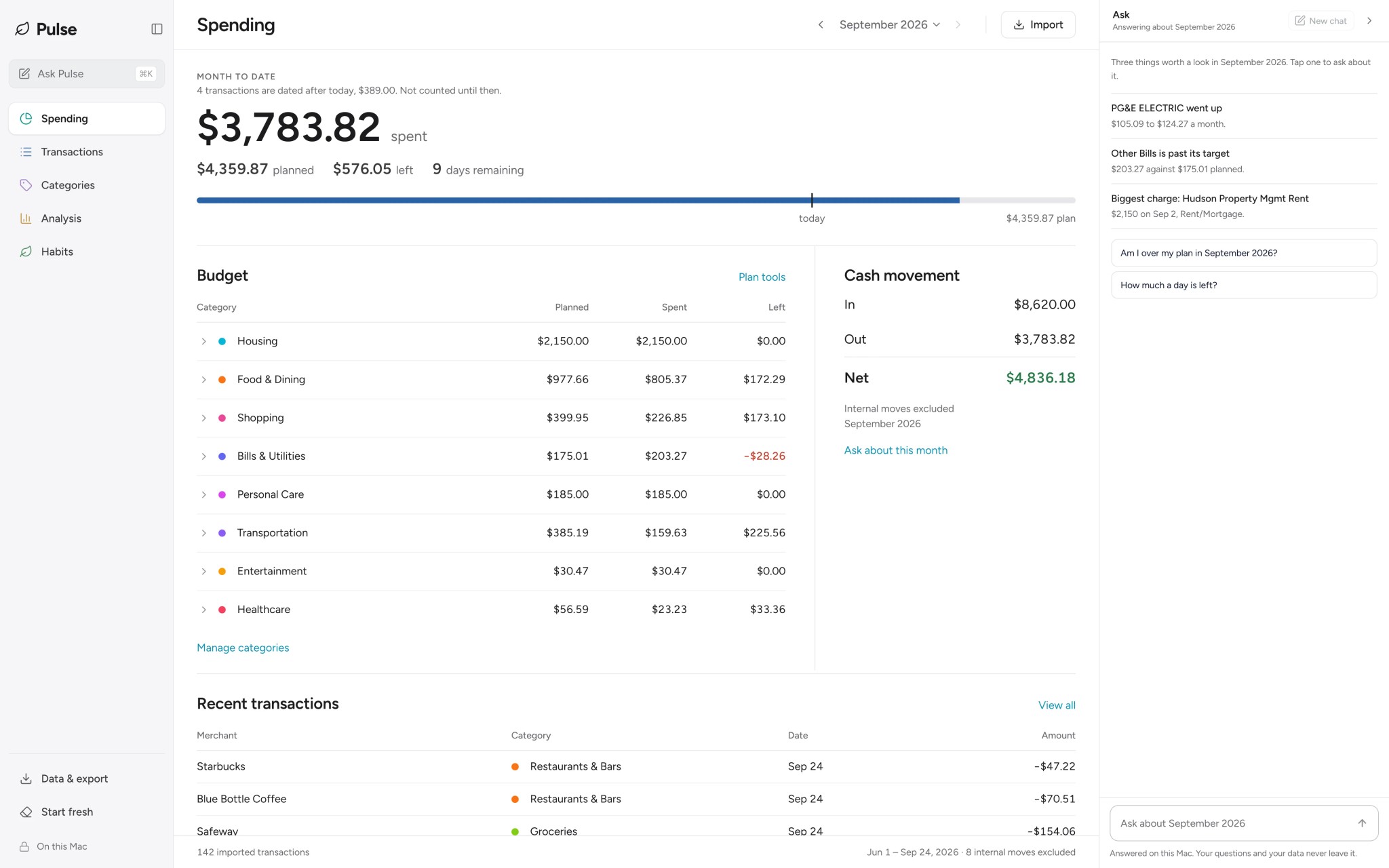
Spending. One figure for the month, every category against its plan. Sample data.
The screens show sample data. We also checked the money maths on six months of real bank records: every month's spending and income matched a separate calculation to the cent.
“Local” usually means your data.
Not your question.
Many apps keep your ledger on your disk. Then you ask a question, and it goes to an online AI service with the rows that answer it.
Your ledger
Stays
Any app that calls itself local does this.
Your question
Sent, on most
A privacy policy may promise not to train on it. It still leaves your machine.
Pulse Local
Both stay
The AI runs on your machine, next to your ledger. There is nowhere to send it.
Ask about your money.
Keep the conversation private.
Ask where your money went, compare months, or check what is left. Pulse adds up your own transactions to answer the spending questions it supports. A second small model checks each money answer before you see it.
Private
chat stays on your machine
no question goes to an online AI service
Yours
answers from your own transactions
your shops, your categories, your months
Explained
see what was counted
the details behind a spending answer
Check the month and category. Labels above each answer show what Pulse counted. Click one to change it.
Keep the conversation going. Ask “by merchant” for a breakdown, or name another month to compare.
Your decisions stay yours. Pulse explains your figures and budgeting terms. What you do next is up to you.
Know the limits. Pulse can misread a question. When it is not sure, it says so instead of guessing. Answers written by the AI are labelled.
See what you can ask.
Then make it your own.
Real replies from the app, on sample transactions. Follow-ups break a total down or compare it with another month.
Pick a question on the right. The replies are real: each one came out of the app, answered against a sample ledger.
Questions
How often is it wrong?
We measure it in the open.
BudgetBench is our benchmark for budgeting chat. It checks every figure in every answer. We tested Pulse on 380 conversations that it had never seen, with its check on and off. The check is the setting Better understanding: Pulse's own code reads each money question, a second small model reads it too, and Pulse shows a figure only when the two readings agree. A conversation counts as wrong when any answer in it shows a wrong figure.
conversations showed a wrong figure with the check on.
conversations showed a wrong figure with the check off.
When Pulse is not sure, it says so instead of showing a figure.
Local mode is global.
Pick your country once. Pulse writes amounts the way you do: 1.234,56 € in Berlin, ¥1,311 in Tokyo. A bank file from anywhere imports. Each account keeps its own currency, and nothing is ever converted.


























79
countries to pick from
amounts written the way each country writes money
0
exchange rates
each account in its own currency, never added to another
2
languages
screens in English or Japanese; chat works best in English; bank files in many languages
Bring the file your bank gives you
Many kinds of bank file. CSV, Excel, OFX, QFX, QIF, MT940, CAMT.053, Norma 43 and CODA. PDF statements too, in beta. Pulse reads them all on your machine.
Read by what is inside. The file name does not matter. Pulse finds the columns in any order. It also reads files saved in Japanese Shift_JIS or in older Windows formats.
No silent guesses. Pulse checks the rows against the balances and totals in the file. When it is not sure of a sign, a date or the currency, it tells you before it saves anything.
See the result first. The preview shows the category each row will get, and the account and currency Pulse found. A file in another currency gets a question first. Nothing is converted.
Same app. Any price.
You pick.
The founder builds Pulse Local mostly alone. Once the app is on your machine, it costs us nothing to run. Pay what you like, or use it free. Every feature, either way.
What your payment pays for
Research
We tune small open AI models to answer money questions, and share them for anyone to use.
Our tuned model, on Hugging FaceThe app
Budgets, rules, splits, cash flow, a forecast and a private chat. Every feature at every price.
What is next
Windows, bank sync in more countries, and fewer wrong answers.
Every feature and no nagging. Local mode needs no account.
Straight to the download.
A thank-you that pays for the next release.
Stripe, then the download.
For people who want this around for years.
Stripe, then the download.
Type the number yourself. One dollar counts.
Stripe, then the download.
The app is one payment, not a subscription, and it never checks what you paid. Bank sync is separate. It costs us money to run, so it is a yearly pass, the Sync Pass: $29 a year for three banks, $8 a year for each extra, up to 25.
For Mac with Apple Silicon. Signed and checked by Apple, so it opens like any other app, and it keeps itself up to date. On Windows? Tell us and we will write when it is ready.
Once it is on your machine
What you give up.
Your money.
Your machine.
The same app at every price. Pick one, or just take it.
Get the appOn Windows? Tell us and we will write when it is ready.